Idea Spectrum Realtime Landscaping Pro Specs, Features, and Value: Is it worth the price tag?
For homeowners and professional designers alike, the challenge of visualizing a transformed outdoor space is often the biggest hurdle to starting a project. Descriptive estimates and hand-drawn sketches frequently fail to capture the nuance of lighting, elevation changes, and the way plant life matures over time. This is the specific gap that Idea Spectrum aims to fill with its Realtime Landscaping Pro software. Positioned between entry-level DIY apps and high-end CAD software used by landscape architects, Realtime Landscaping Pro promises a professional-grade visualization experience without the steep learning curve. But with a price tag that sits above many consumer-grade alternatives, potential users must weigh whether the depth of features justifies the investment.
Understanding the Target Audience
Realtime Landscaping Pro is designed for a unique middle ground. On one hand, it appeals to the ambitious homeowner who wants to plan a complete overhaul of their backyard, including decks, pools, and complicated masonry. On the other hand, it serves contractors and landscape designers who need to provide high-quality 3D walkthroughs for clients without spending dozens of hours on a single rendering. Buyers in this category typically care about three things: the accuracy of the botanical database, the ease of importing existing site photos, and the quality of the final 3D output. They aren't just looking for a "game-like" design experience; they need a tool that can translate architectural ideas into a visual reality that feels tangible.
Detailed Feature Analysis: What Is Under the Hood?
The core of Realtime Landscaping Pro is its real-time 3D engine. Unlike traditional design software that requires a "render" phase where the computer spends minutes or hours processing a single frame, this software allows designers to move through the environment as they build it. This immediacy is a significant workflow advantage, especially when testing different materials or plant placements.
The Botanical Library
A landscape design is only as good as the plants it includes. Idea Spectrum has curated a library of over 5,700 plants, including trees, shrubs, cacti, and perennials. What sets this apart from cheaper software is the inclusion of regional varieties and the "Growth Tool." Users can specify the age of the garden, allowing them to see how a small sapling might eventually shade a patio or crowd a walkway ten years down the line. This feature is critical for long-term planning and prevents the common mistake of over-planting or ignoring eventual root interference.
Integrated Deck and Patio Design
Beyond softscaping, the Pro version includes robust tools for hardscaping. The deck builder is particularly impressive, offering templates for common shapes while allowing for custom multi-level configurations. Users can select specific joist spacing, railing styles, and wood types. The software also handles stone and masonry with high-resolution textures that mimic real-world materials like flagstone, pavers, and poured concrete. The ability to add outdoor kitchens, fire pits, and seating walls adds a level of luxury to the designs that reflects modern outdoor living trends.
Water Features and Swimming Pools
For many, the centerpiece of a landscape is a pool or a pond. Realtime Landscaping Pro features a dedicated pool wizard that handles both above-ground and in-ground designs. It calculates water volume and allows for the addition of waterfalls, fountains, and even koi fish. The physics of the water—the way it reflects light and ripples—is surprisingly sophisticated for software at this price point, providing a sense of tranquility in the digital walkthrough that helps "sell" the vision to a spouse or a client.
Terrain and Elevation Tools
One of the most difficult aspects of landscaping is dealing with slopes. Entry-level software often assumes a perfectly flat lot, which is rarely the case in the real world. Realtime Landscaping Pro allows users to import GPS data or manually sculpt the terrain. Whether it is a walk-out basement, a terraced garden, or a simple retaining wall requirement, the elevation tools ensure that the design respects the physical reality of the land. This prevents the "floating deck" syndrome where a design looks great on a flat screen but fails to account for a three-foot height discrepancy in the actual yard.
Shop the latest Electronics picks on Amazon.
View Offers →Comparison of Idea Spectrum Tiers
To understand the value of the "Pro" version, it is helpful to see how it sits amongst its siblings in the Idea Spectrum lineup. While there are "Plus" and "Architect" versions, "Pro" is often considered the "sweet spot" for serious hobbyists and residential designers.
| Feature | Realtime Landscaping Plus | Realtime Landscaping Pro | Realtime Landscaping Architect |
|---|---|---|---|
| Plant Count | 5,100+ | 5,700+ | 19,000+ |
| Swimming Pools | No | Yes | Yes |
| Water Garden Tools | No | Yes | Yes |
| CAD Import/Export | No | No | Yes |
| 3D Walkthroughs | Yes | Yes | Yes |
| Custom Symbol Creation | No | No | Yes |
Performance and System Requirements
Because the software uses a real-time 3D engine, it is more demanding on hardware than a simple photo-editing app. Users should ideally have a dedicated graphics card. While it runs on most modern Windows machines, a system with at least 8GB of RAM and a mid-range GPU will ensure that the "walking" experience through the 3D world remains fluid. This is an "electronics" purchase in the sense that the software’s performance is tightly coupled with your workstation's capabilities. If your computer is older than five or six years, you may experience lag when the design becomes densely packed with high-polygon plants and objects.
Pros and Cons
- Pro: Intuitive Interface. Unlike professional CAD software that requires months of training, most users can produce a basic 3D layout within the first two hours of use.
- Pro: Real-Time Lighting and Shadows. You can adjust the sun's position to see how shadows will fall at different times of the day, which is essential for planning vegetable gardens or seating areas.
- Pro: High-Quality Design Templates. If you are stuck, you can start with a pre-made house and yard template to see how professional designers arrange elements.
- Pro: Diverse Material Library. The software includes thousands of textures for everything from mulch and gravel to high-end siding and roofing.
- Con: Hardware Demand. As mentioned, it requires a decent PC to run smoothly; it is not available for macOS or tablets without using a virtual machine or remote desktop.
- Con: Learning Curve for Terrain sculpting. While basic tools are easy, mastering complex topography can be frustrating and takes a significant amount of practice.
- Con: Limited Library for Specific Regional Flora. While 5,700 plants is a lot, designers in very niche climates may find they have to substitute certain rare species for "close matches."
The Buying Guide: Should You Invest?
Deciding whether to spend over a hundred dollars on landscaping software depends on the scope of your projects and your long-term goals. Here is how to evaluate the purchase based on your specific situation.
The "One-and-Done" Homeowner
If you are looking to simply decide where to put a single flower bed or what color to paint your fence, Realtime Landscaping Pro might be overkill. There are free or very cheap apps that can handle basic photo-overlay tasks. However, if you are planning a project that will cost more than $5,000 in materials and labor, the software pays for itself by preventing a single design mistake. Seeing that your proposed deck will block the view of a prize rose bush or that your pool is too close to your utility lines is worth the cost of the program many times over.
The DIY Landscaper
For those who plan to do the work themselves, the software is an invaluable planning tool. It allows you to print out layouts that can be used for measuring and staking out the ground. It helps in calculating the square footage of sod or the number of pavers needed, which reduces waste at the hardware store. For the DIYer, this is as much a productivity tool as a design tool.
The Aspiring Professional
If you are starting a small landscaping business, the Pro version is the perfect entry point. It allows you to produce professional-looking walkthrough videos that you can send to clients. These videos create a "wow factor" that static 2D blueprints simply cannot match. It bridges the gap between a "guy with a mower" and a "design-build firm." While you may eventually need the "Architect" version for its CAD integration, the Pro version is more than enough for residential sales and presentations.
Shop the latest Electronics picks on Amazon.
See Deals →Modern Use Cases: The Value of Visualization
Consider the "Lighting Design" use case. Modern outdoor living is as much about the night as it is about the day. Realtime Landscaping Pro features a "Nighttime" mode where you can place functional and aesthetic lights. You can see how path lights will guide guests and how uplighting can transform a boring oak tree into a dramatic focal point. In the world of electronics and smart homes, being able to plan your low-voltage lighting system digitally before burying a single wire is a massive advantage.
Another real-world application is the "Project Phasing" approach. Many homeowners cannot afford to do their dream backyard all at once. They might do the patio this year, the pool in three years, and the outdoor kitchen in five. This software allows you to create the "Master Plan" and then save versions of the file representing each phase. This ensures that the work done today doesn't have to be ripped out to accommodate the work done tomorrow. It maintains a cohesive vision over a multi-year development cycle.
Final Assessment of Value
When looking at the price of Idea Spectrum Realtime Landscaping Pro, it is easy to compare it to mobile apps and feel it is expensive. However, when compared to the cost of professional landscape architecture services (which can run into the thousands) or the cost of a failed remodel, the price tag becomes incredibly reasonable. The software is stable, frequently updated, and supported by a library of assets that are actually relevant to modern construction and horticulture.
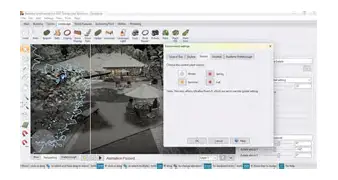
Technically, the software stands out for its balance. It doesn't overwhelm the user with the mathematical complexity of AutoCAD, yet it doesn't insult the user with the overly simplified, cartoonish graphics found in many "home design" titles. The ability to import a photo of your actual house and build a 3D world around it remains one of its strongest selling points, offering a level of personalization that is rare in the industry.
Conclusion
Idea Spectrum Realtime Landscaping Pro is a robust, thoughtfully designed tool that succeeds in making complex landscape design accessible. Its strength lies in its "real-time" nature—the ability to see changes instantly, to walk through the garden as the sun sets, and to watch plants grow over decades. While the hardware requirements are a consideration, and the terrain tools require some patience to master, the features offered are far more powerful than what is found in entry-level software. For any homeowner planning a major renovation or a contractor looking to elevate their client presentations, the investment represents a significant value. It provides the clarity and confidence needed to move a project from the "idea" stage into reality, ensuring that the final physical result is exactly what was envisioned on the screen.